★★★★★
I've tried every clipboard manager on the market. Clipmory is the first one I actually kept — the paste-to-active-app alone made it worth it. The privacy shield is why I trust it enough to leave it running.
The fast, native clipboard history and manager for Mac power users. Sub-millisecond SQLite search, screen OCR, and 100% on-device privacy — with no recurring subscriptions.
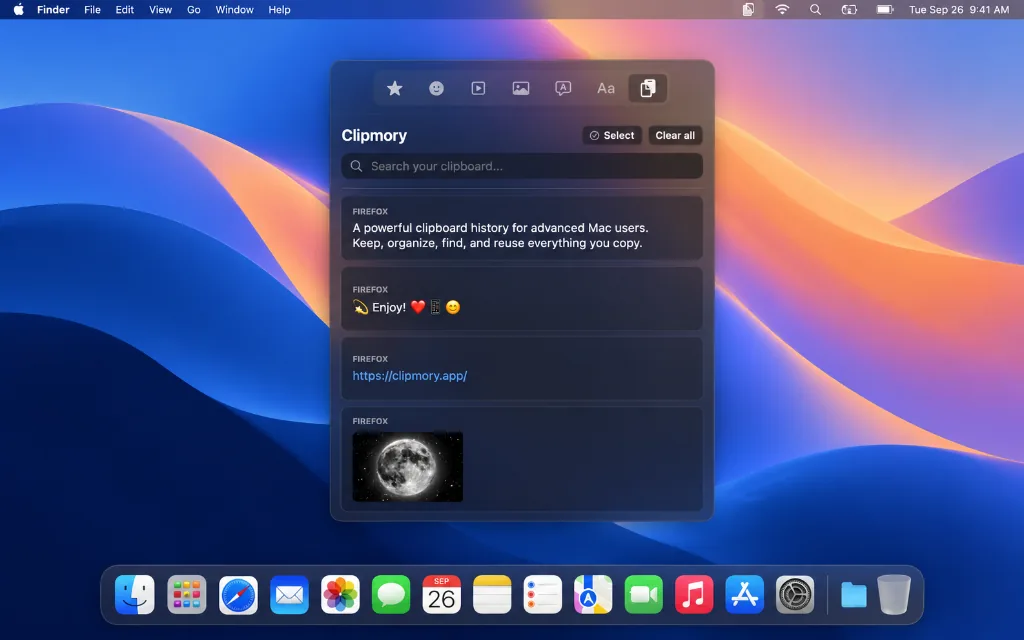
Silently saves everything you copy: text, links, code, images, and files.
Summons your clipboard history anywhere on Mac in <1ms right at your cursor.
Click any clip to paste directly into your active window without switching apps.
Capture any screen area to instantly extract text and copy it automatically.
From simple text to text extracted from images, everything you copy goes into a lightning-fast, secure vault.
Select a clip and it automatically pastes itself into your active window. No context switching needed.
Search ten thousand clips in under a second. Full-text SQLite FTS5 search across your entire history.
Capture any part of your screen and instantly extract the text using Apple Vision on-device OCR.
sk_live_••••••••••••e8a9
API keys and passwords are automatically detected, shielded, and hidden from plain view.
Native performance, complete on-device privacy, and honest one-time pricing. See why Mac power users choose Clipmory.
| Feature | Clipmory WINNER | Default macOS | Subscriptions (Paste) |
|---|---|---|---|
|
Clipboard History Capacity
How many copied items are remembered
|
Infinite (100,000+ items)
|
Only 1 item
|
Unlimited
|
|
Pricing & License Model
Total cost of ownership
|
One-Time $29.99 (Own forever)
|
Free (Built-in)
|
$14.99–$29.99/year
|
|
Sub-Millisecond Search
Instant full-text query across history
|
Native SQLite FTS5 (< 1ms)
|
No search
|
Moderate speed
|
|
Privacy & Data Security
Where your copied sensitive data lives
|
100% On-Device (Touch ID Shield)
|
Local RAM only
|
Syncs clipboard to cloud
|
|
Screen OCR Text Recognition
Extract text directly from images
|
Built-in Apple Vision OCR
|
None
|
Limited
|
|
Windows "Win + V" Workflow
Familiar cursor-anchored popup
|
Yes (Cmd+Shift+V or custom)
|
Not available
|
Bottom pinboard strip
|
Try free for 7 days with full access. Upgrade when you're convinced — not before. No subscription pressure.
I've tried every clipboard manager on the market. Clipmory is the first one I actually kept — the paste-to-active-app alone made it worth it. The privacy shield is why I trust it enough to leave it running.
The text transformation feature saved my team from a month of reformatting hell. We paste from Google Sheets into our CRM constantly — Clipmory turns case mismatches into a non-issue.
As a designer I'm constantly copying hex codes, spacing values, and font names across tools. Clipmory's instant search and type filtering means I'm never fishing around for something I copied 20 minutes ago.
~/Library/Application Support/Clipmory/ inside an encrypted, on-device SQLite database. Clipmory is completely offline with zero telemetry, zero analytics, and zero cloud tracking. Your clips never touch any server.⌥⌘C (Option + Command + C) anywhere in macOS to crop any area of your screen. Clipmory runs on-device Apple Vision OCR (Revision 3) to extract text, detects embedded links, and copies the clean text directly to your clipboard in milliseconds — without uploading images to any third-party cloud.⌥⌘V or Cmd + Shift + V. Learn more on our Windows to Mac guide.